Zero-ops outbound for B2B sales

OXO runs your outbound.You run the conversation.

OXO is the zero-ops outbound system for B2B sales. It finds the accounts, researches every lead, writes and sends across every channel, and hands you each reply.

Why OXO

Outbound used to be a stack: a database, an enrichment tool, a sequencer, a dialer, a warmup service, a CRM, and someone stitching them together every morning. OXO is that stack as one system. It finds the account, writes from what it found, reaches out on every channel, and brings each reply back to one record. The only thing it waits for is you.

One campaign, start to finish

One OXO campaign, from market to morning tasks

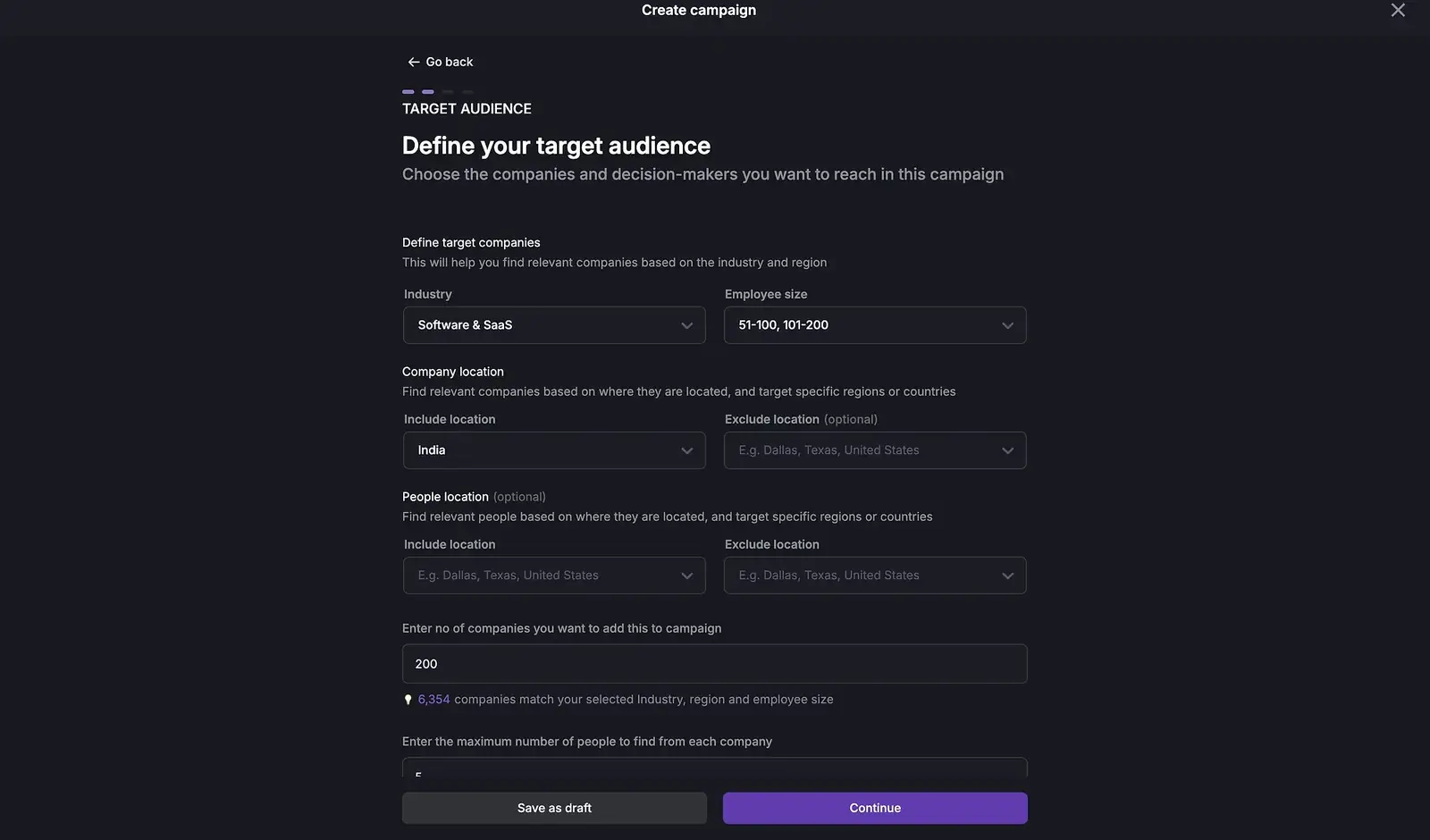
Name the market. See how big it is.

Choose the industry, company size and region. The count of matching companies updates with each filter, before a campaign exists.

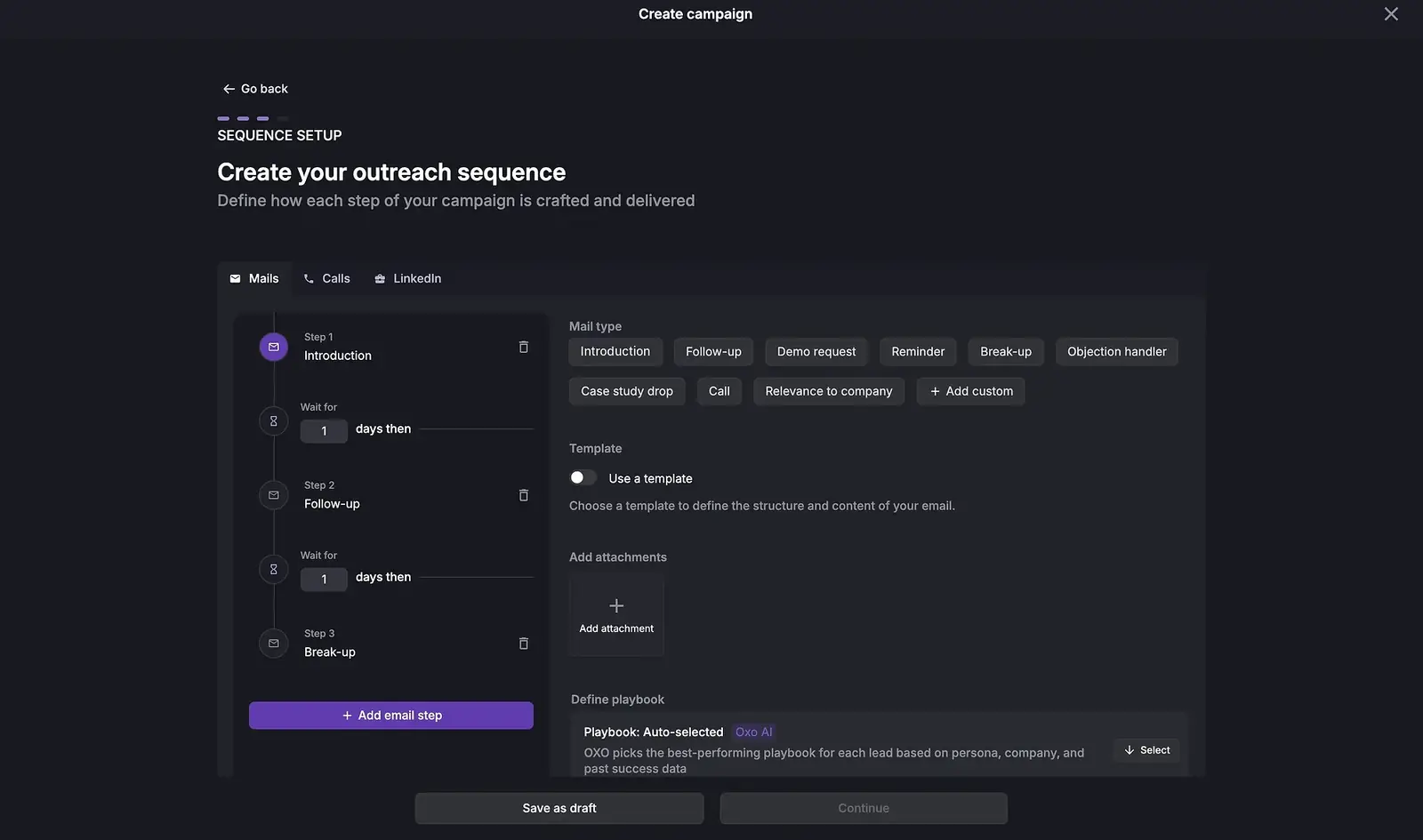
Set the rhythm once.

Steps, waits and the type of each email are set in one place. Every lead then moves through the sequence on its own clock.

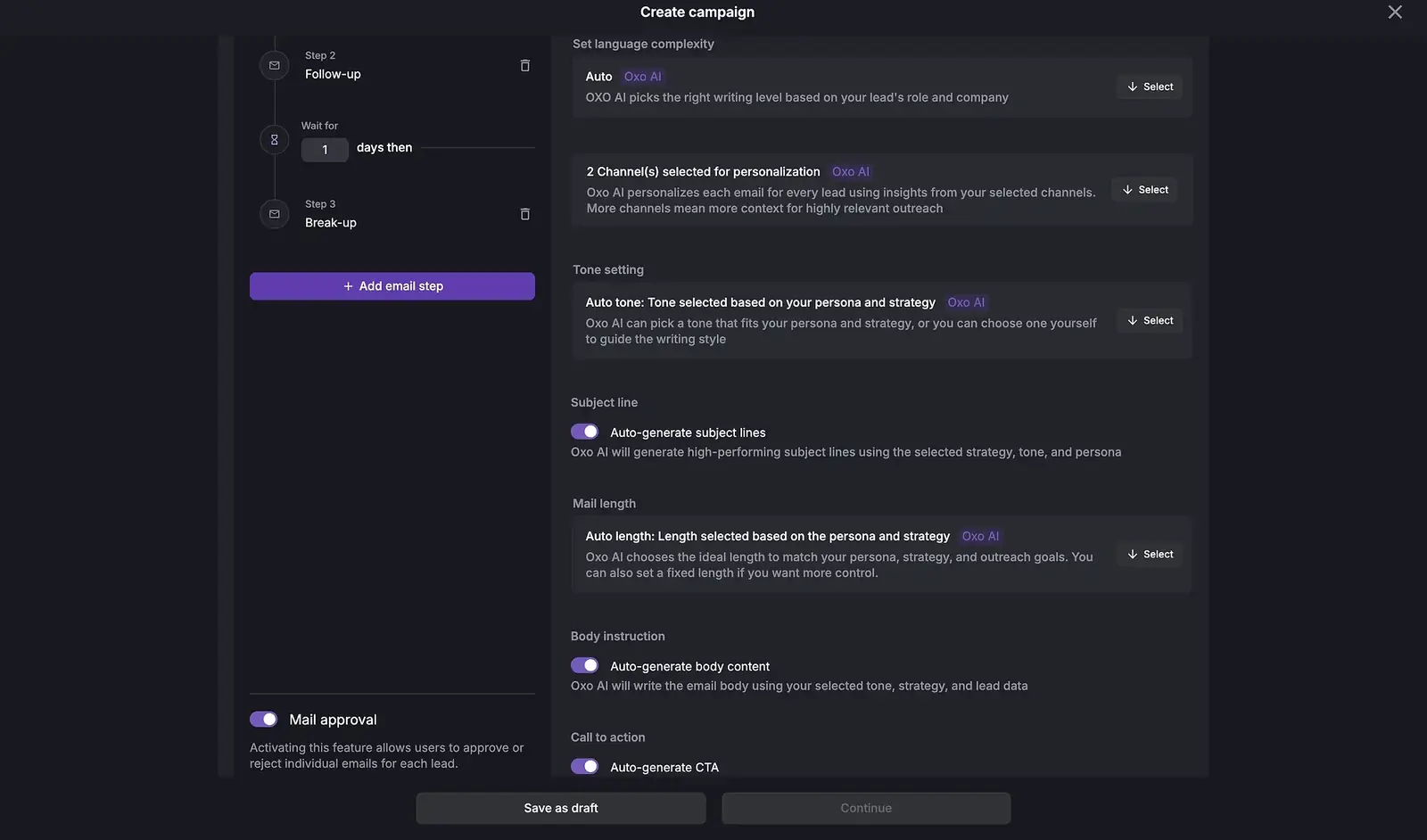
Oxo AI makes the writing calls.

Language level, tone, length and the channels it reads are chosen per lead. Subject, body and call to action are written for that person. You keep one switch.

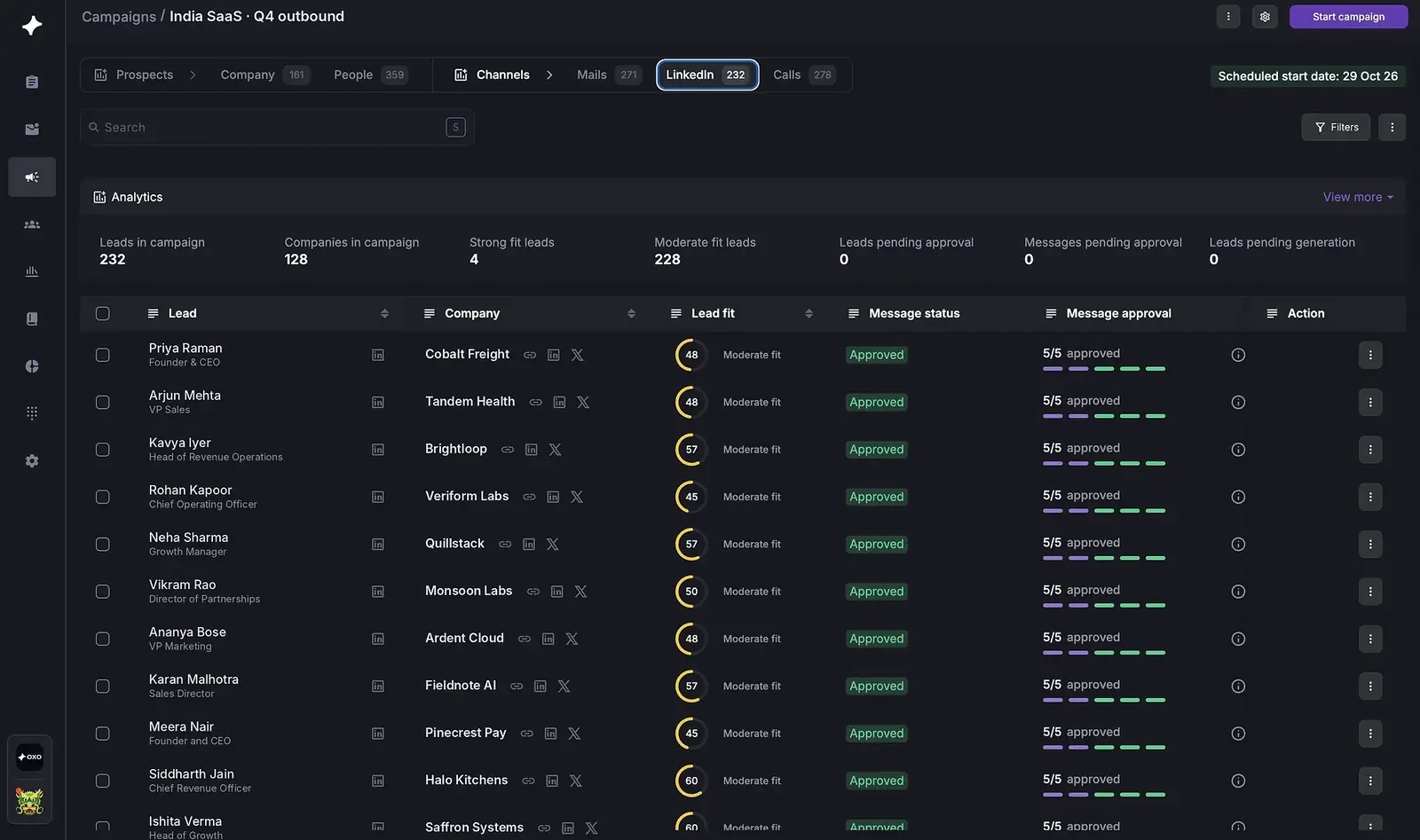
Read it, approve it, then it sends.

With mail approval on, every message waits in the campaign. When nothing is pending, the campaign starts on its scheduled date.

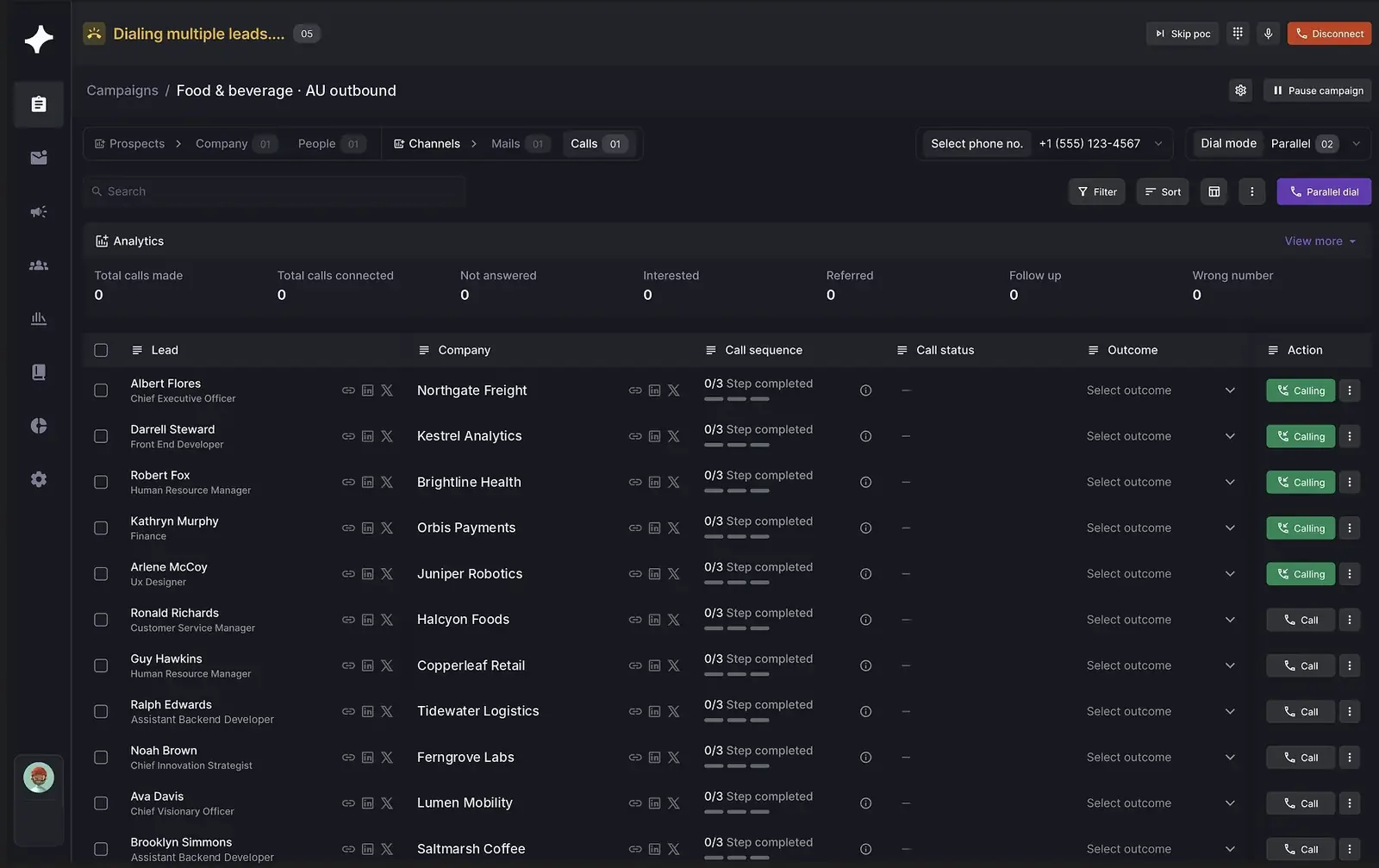
Five lines ring. You take the one that answers.

Parallel dial calls several leads from the campaign at once and puts you through to the first person who picks up. The outcome is saved on the row.

Every morning arrives sorted.

Tasks groups the day by channel and by what each reply means, so the conversations that need you come first.

IndustrySoftware & SaaS

Five channels · one lead

Each channel does something
the others can’t.

Sent from a side door. Never your front one.

Oxo AI writes each email for the person reading it. You approve it, and it leaves from a separate sending domain, so getoxo.com never carries campaign volume.

Separate domains
Linked mailboxes rotate the sending
Written per lead
Tone, length and call to action
Approved by you
Nothing sends while it waits

It waits for the handshake.

OXO views the profile, sends the request, and holds every message until the connection is accepted. The first message reads like you looked first, because you did.

Profile first
A visit before any request
Accepted, then message
No cold pitch in a request note
Replies are yours
The thread is handed straight over

Five lines ring. Your script is already written.

Parallel dialing puts you through to whoever answers first. The opening line, the pain point and the objection you will hear are written from this lead's thread.

Parallel dialing
First pickup is put through
Script per lead
Opening, pain point, objections
Voicemail grace
A pause, then on to the next

Short, from your number, in the same thread.

A WhatsApp note picks up where the call left off. The reply lands in the master inbox next to the email and the call, not on someone's phone.

Same conversation
It knows what was said
Your business number
Not a stranger's
One inbox
Replies sit with every channel

A gift, when the thread has earned it.

Gifting is a step like any other. The gift is chosen for the persona within a budget you set once, and the follow-up waits until it has been delivered.

Chosen for the persona
Not picked from a catalogue
Budget set once
A cap per lead
Waits for delivery
Then the follow-up goes

Behind every send

The parts nobody sees, set once.

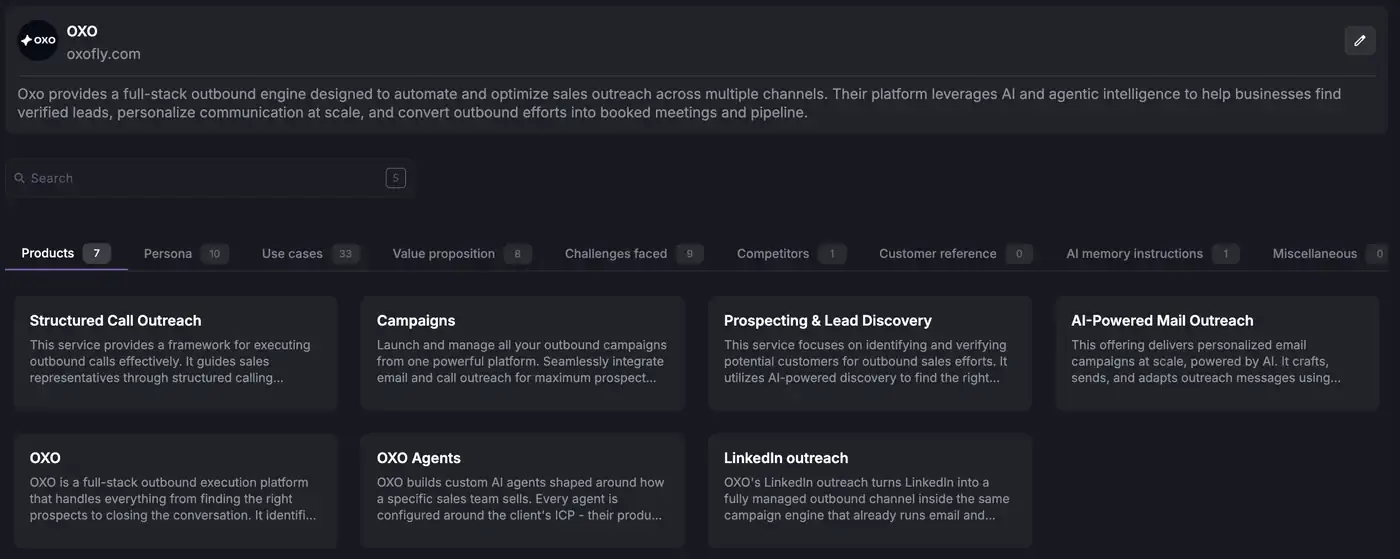
  1. Knowledge libraryProducts, personas, use cases and competitors. Oxo AI writes from what your company actually sells.
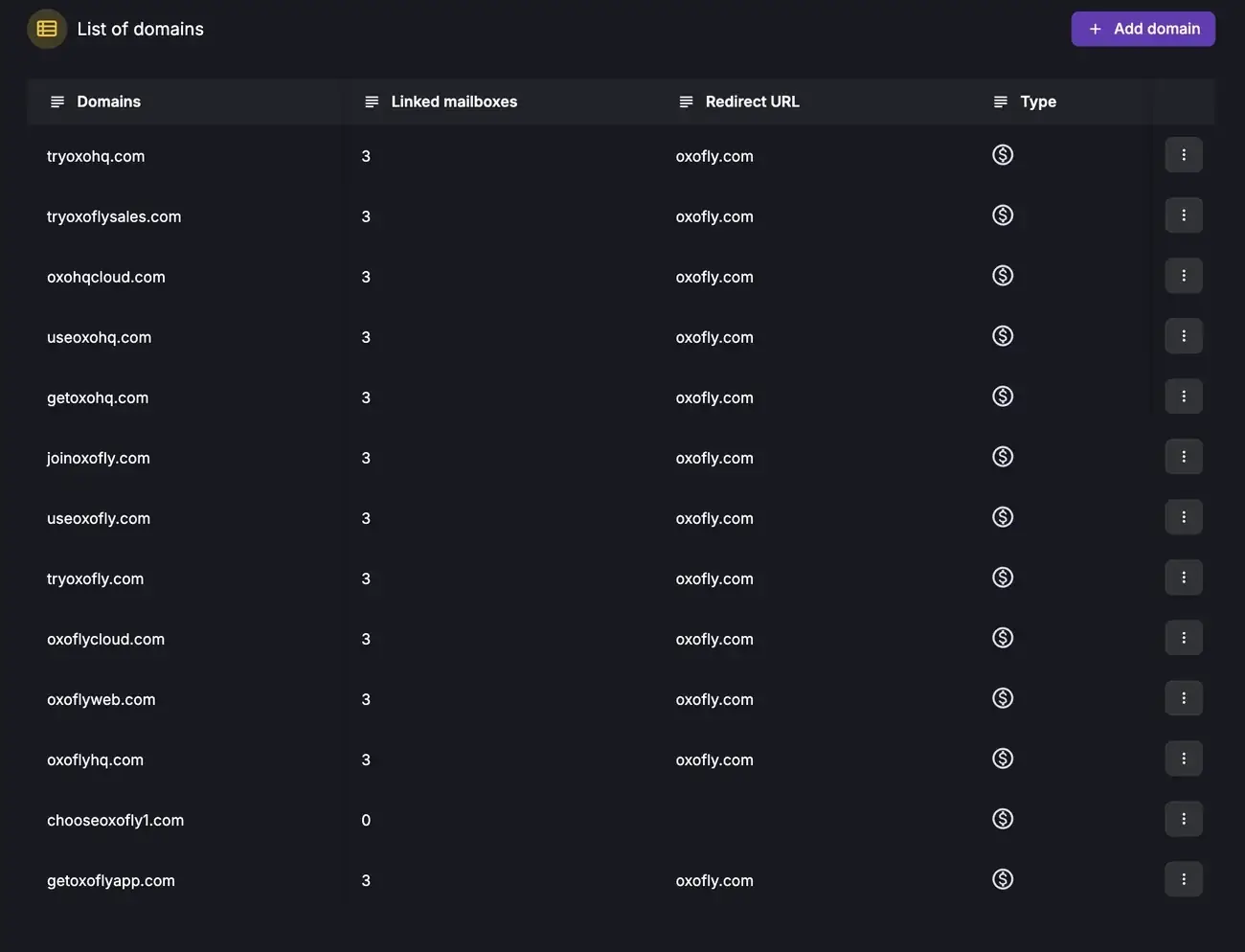
  2. Sending domainsMail goes out from separate domains with linked mailboxes that redirect to your site, so your main domain stays clean.
  3. Channel analyticsLeads contacted, replies, connected calls and demos booked, counted per channel.
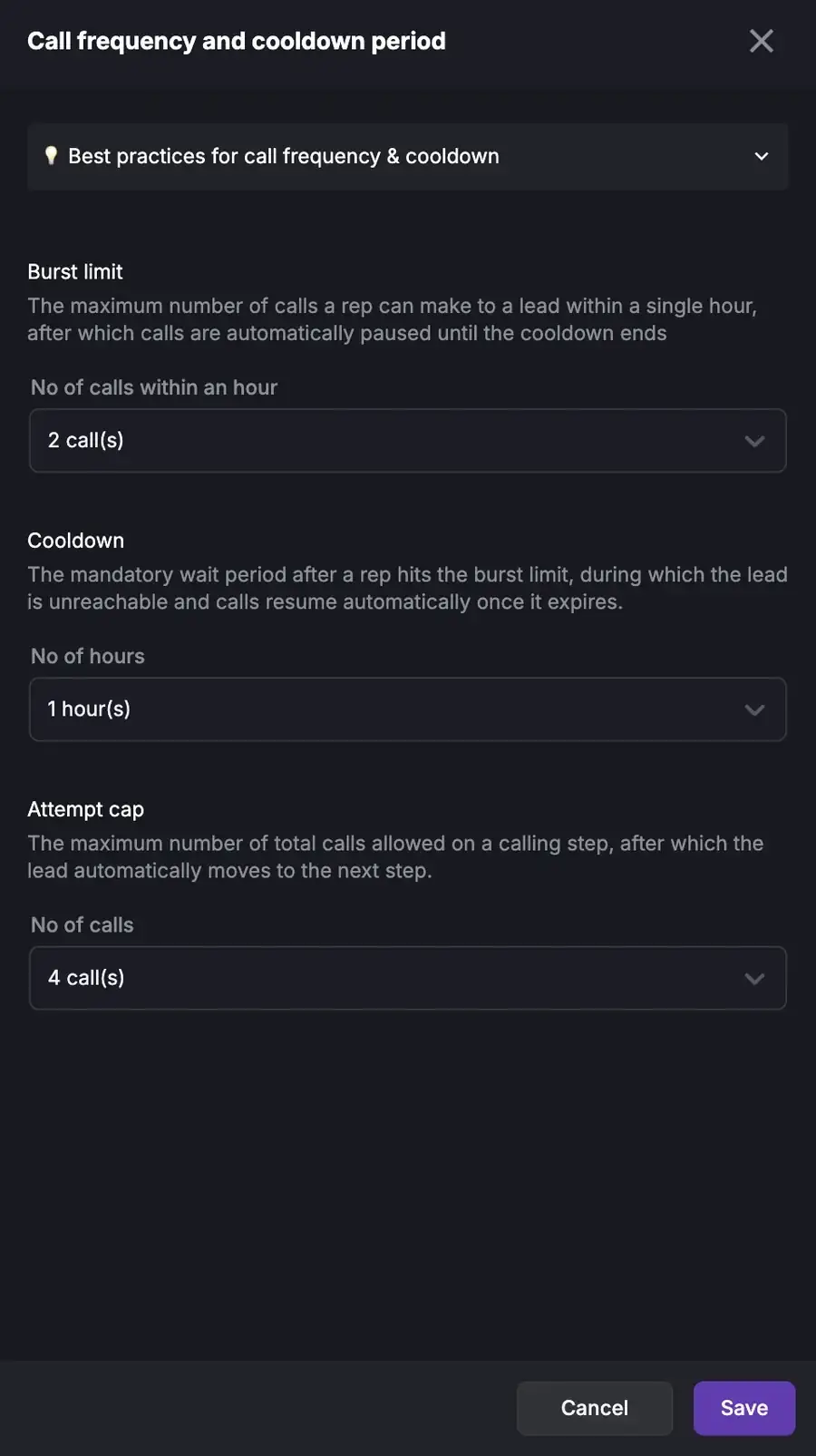
  4. Call limitsA burst limit, a cooldown and an attempt cap stop any lead from being called too often.
  5. Browser dialerPick a region and a number and call straight from the campaign. No desk phone.

Also in the boxContact databaseBuying signalsAnalyticsMaster inboxCRM syncMCP connector

OXO Knowledge library settings
Knowledge libraryProducts, personas, use cases and competitors. Oxo AI writes from what your company actually sells.
OXO Sending domains settings
Sending domainsMail goes out from separate domains with linked mailboxes that redirect to your site, so your main domain stays clean.
OXO Channel analytics settings
Channel analyticsLeads contacted, replies, connected calls and demos booked, counted per channel.
OXO Call limits settings
Call limitsA burst limit, a cooldown and an attempt cap stop any lead from being called too often.
OXO Browser dialer settings
Browser dialerPick a region and a number and call straight from the campaign. No desk phone.
The prospectOXO, in betweenThe conversation

Everything between the first name and the first reply, handled.

Approvals and controls

The judgment
stays with you.

Three switches decide where OXO moves on its own and where it waits for you. Keep them on while a campaign is new, and turn them off once you trust what it writes.

Mail approvalApprove or reject individual emails for each lead.Every email waits in the campaign until you approve it.
Call approvalReview each call script before the dialer places the call.Scripts wait for you before a call is placed.
Message approvalApprove LinkedIn messages before they are sent.Messages wait for you after the connection is accepted.

What stays human

Four calls OXO
leaves to you.

  1. Strategy

    Which market, which persona, which offer. OXO builds the list from your answer, never the other way round.

  2. Conversations

    The moment a prospect replies, the thread is yours. OXO hands over the record and steps back.

  3. Negotiation

    Pricing, terms and timing are decided by people. OXO keeps the history ready beside the call.

  4. Closing

    The signature is human. The follow-up that got you there was not.

In their words

Using OXO has been the most groundbreaking thing that has helped us scale outbound.
Kashish, Chief Revenue Officer, Volopay

Before you start

What to know
about OXO.

What is OXO?

OXO is the zero-ops outbound operating system for B2B sales. It brings prospecting, research, email outreach, LinkedIn, calling and replies into one connected workflow. Your team controls the strategy and steps in for conversations, judgment and closing.

What does zero-ops outbound mean?

Zero-ops describes the operating work OXO brings together: finding prospects, preparing context, coordinating outreach, following up and routing replies. Your team sets the policy, approves work where needed and owns the customer conversation.

Who is OXO for?

OXO is for B2B sales teams, SDR teams, founders, agencies and revenue operations teams that want prospecting, outreach and replies to share the same context.

Which channels does OXO connect?

OXO connects email outreach, LinkedIn outreach and phone calls with a shared master inbox. Campaign and contact history stay attached as the team moves between channels.

Can people review and control what OXO does?

Yes. Your team chooses where OXO can move, where approval is required and when work is handed to a person. People keep control of strategy, live conversations, negotiation and closing.

Where can I find OXO online?

The OXO website is getoxo.com. Explore the product here or use the Log in link to access the OXO application at app.getoxo.com. You can also See pricing or Talk to the team.